Speak. Text appears.
The open-source answer for voice typing on Windows

Press a global hotkey and speak — text appears at your cursor, in any input field, even inside games. No engine lock-in, fully customizable dictation, Apache-2.0 open source.

Free & Open Source Windows 10 / 11 4 Cloud Engines + Local Offline AI Correction · Voice Commands

First time here? Read the User Guide — from install to engine setup, step by step.

ORI floating bar live transcription demo
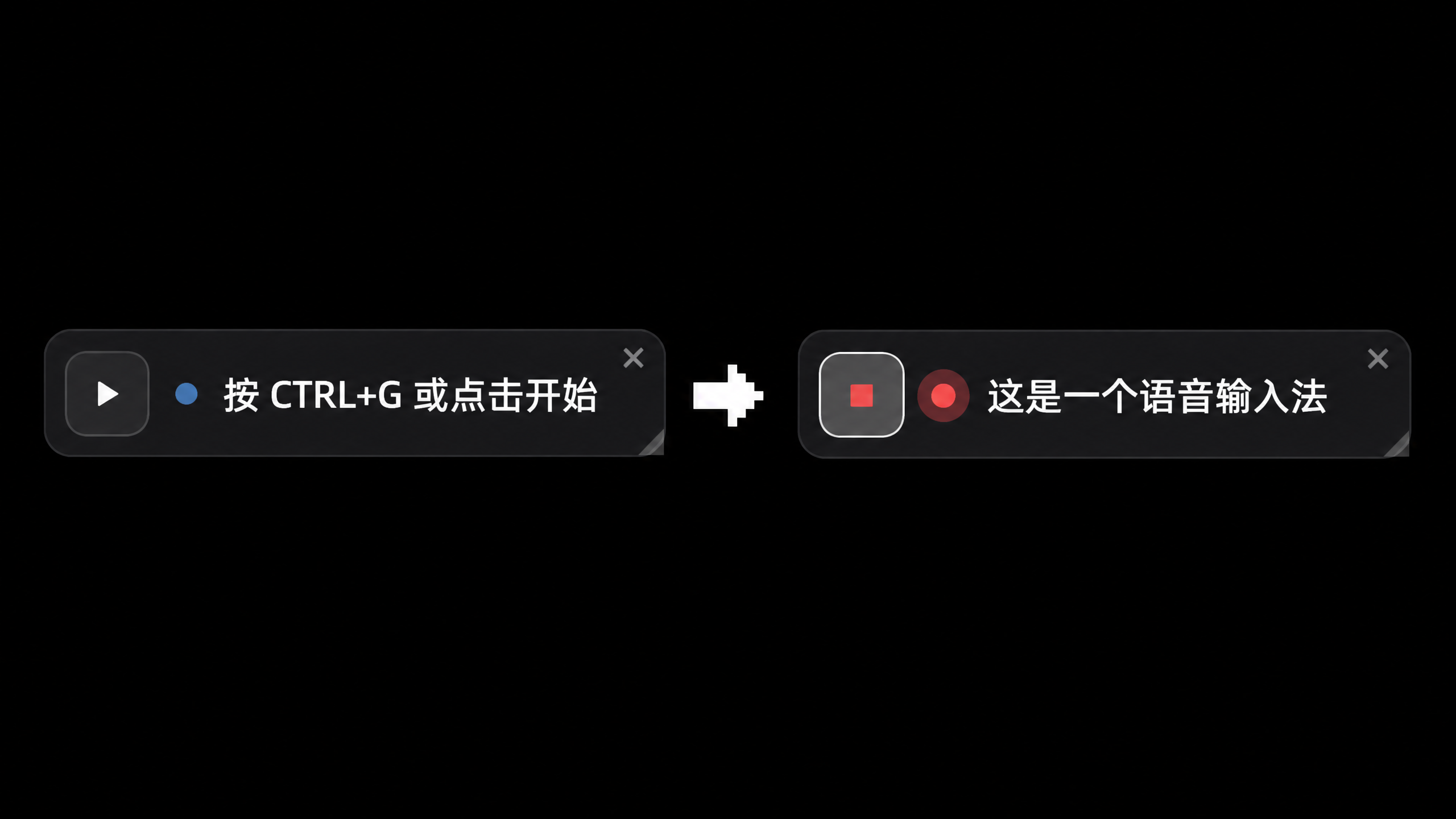
Actual runtime: a floating bar on your desktop. Press the hotkey and talk — text appears as you speak.

Features

Everything Win+H should do, done better

Windows voice typing has mediocre recognition, locked engines and no way to customize. ORI hands all of that to you — which engine, how text is typed, whether AI gets involved. Your call.

⚡

Hotkey dictation

A Ctrl+G global hotkey, anytime. Recognized text is typed right at your cursor — editors, chat boxes, browsers, even full-screen games.

🔀

Switch engines freely

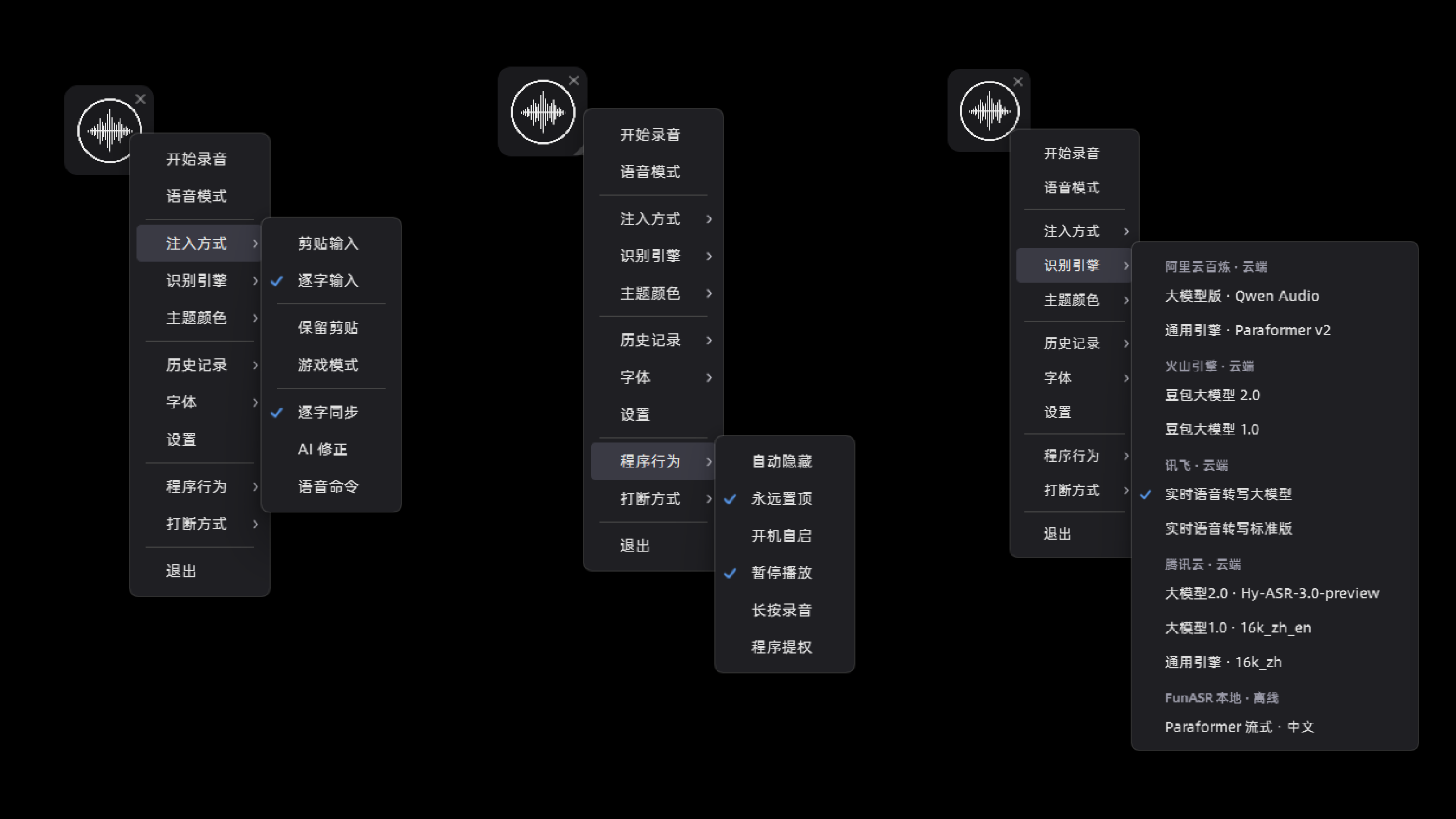
Four cloud engines plus one local engine, switched with a single click in the right-click menu. Try them all and see which fits your accent.

✍️

Choose how text appears

Text can be pasted at your cursor or typed out character by character like a real person; your clipboard is never overwritten.

🤖

AI quietly fixes mistakes

Text appears first, then AI corrects misheard words in the background and swaps them in. Not comfortable with it? Turn it off — every AI feature has its own switch.

🎙️

Talk with the AI directly

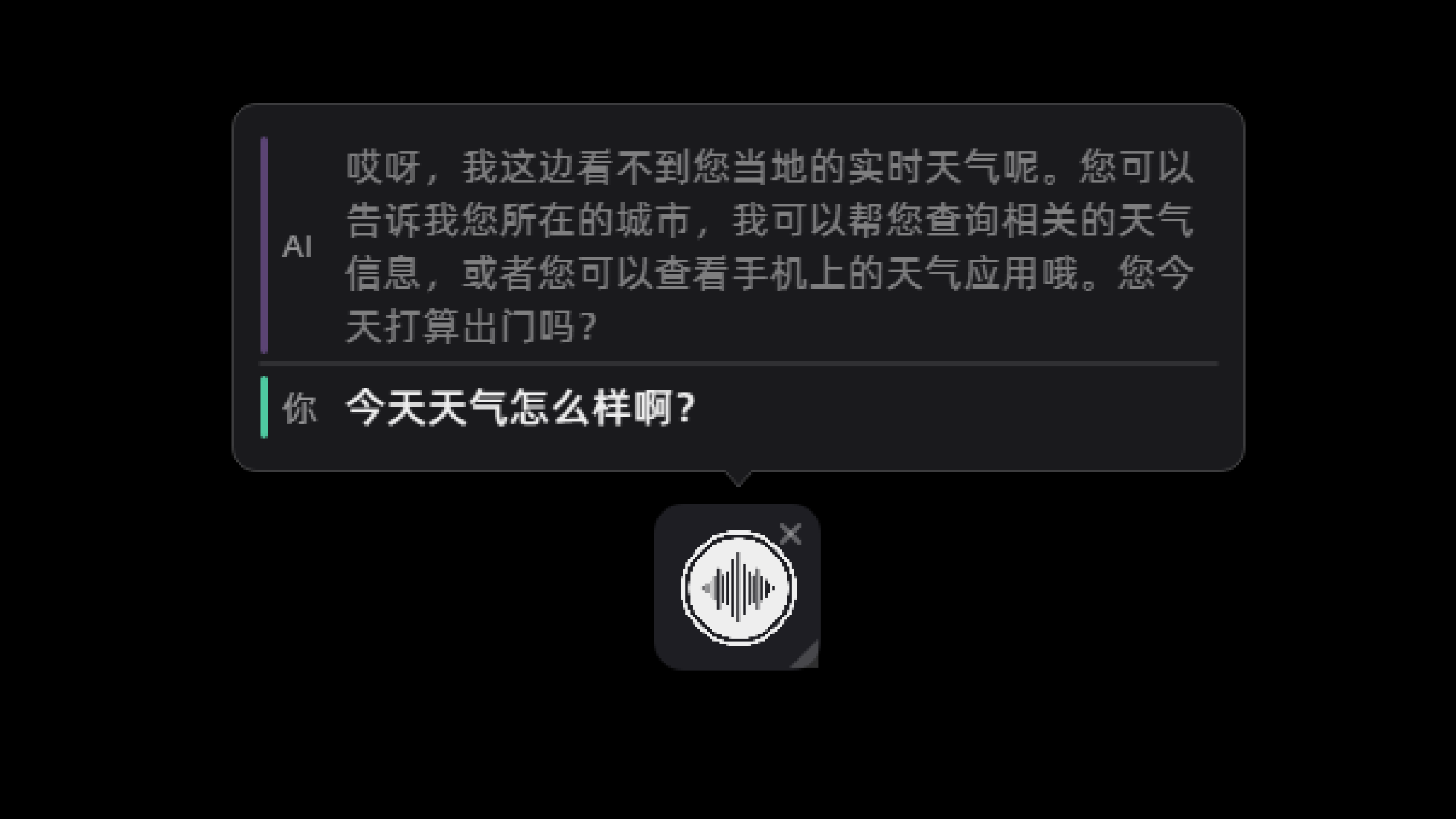
Press Ctrl+Shift+H to start a voice conversation: you speak, the AI answers in voice, and you can interrupt anytime.

🎨

Themes & floating bar

A borderless, semi-transparent, self-rendered floating bar. Light / dark / cyberpunk / Celtic themes, with fonts, engine groups and window behavior all configurable in the UI.

Engines

Five recognition engines, pick by your scenario

Four cloud engines from major vendors, each with a free tier for new accounts — register yourself and control your own usage. Plus one fully offline local engine — no internet, no uploads, no cost.

Alibaba Cloud Bailian
The default, works out of the box · rock-solid Mandarin for chat, documents and meetings
Vendor free tier
Tencent Cloud
Best for mixed Chinese-English · catches mid-sentence switching, plus 30+ dialect accents
Vendor free tier
iFlytek
Best for dialect speakers · 200+ dialects recognized directly — no need to force standard Mandarin
Vendor free tier
Volcano Engine Doubao
Auto-final draft · strips filler words, then produces a more accurate final version after a pause
Vendor free tier
Local FunASR
Works offline · runs entirely on your machine, uploads no audio — safe for intranets and sensitive use
Free · Zero upload
Voice Mode

More than dictation — talk to the AI

One hotkey switches from voice typing to voice conversation: recognition, understanding and spoken reply in one go — interrupt the AI mid-sentence by just talking.

Voice conversation: say hello and start

Three AI backends to choose from: ByteDance's Doubao, Alibaba Cloud's Qwen, or your own server. Recognition, understanding and spoken reply in one pass.

Interrupt anytimeMultiple AI voicesRemembers the last chatRole-playWeb search
Interface

One floating bar controls everything

The right-click menu is your console: engines, themes, injection, behavior, history, AI features — without interrupting what you're doing.

Floating bar idle and recording states
Two states of the floating barIdle hint · live transcription while recording, readable at a glance
Right-click menu overview
Right-click menuEngine switching · injection methods · program behavior, neatly categorized
AI voice conversation
AI voice conversationConversation bubbles in real time, interrupt anytime
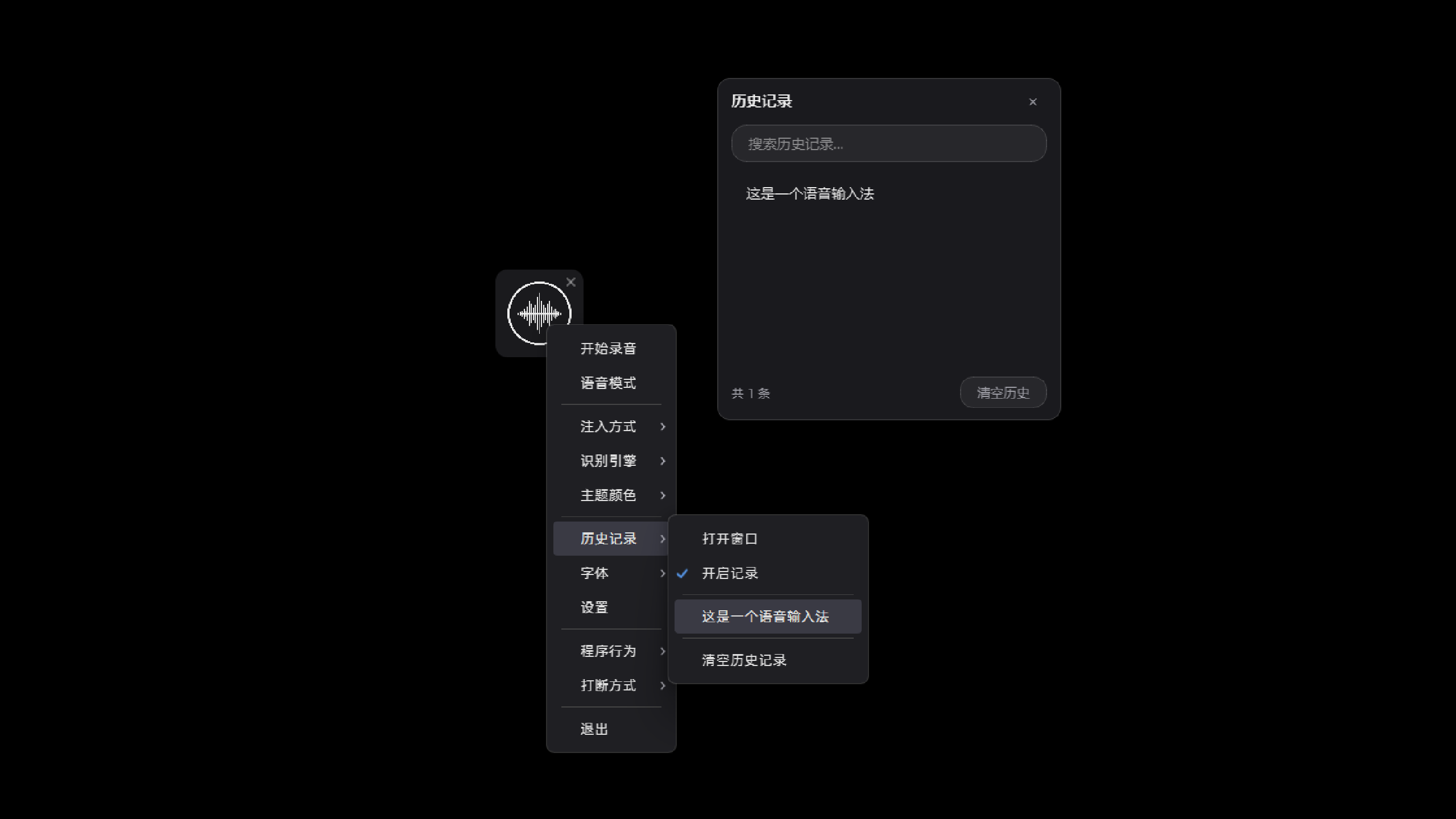
History
HistoryRecognition history saved locally, searchable and clearable
Get Started

Up and running in three minutes

Download and unzip

Grab ORI-<version>-win64.zip from Releases, unzip and double-click ORI.exe — no Python needed. Verify the hash with SHA256SUMS.txt.

Register with a vendor for a key

Pick any of Alibaba Cloud / Tencent Cloud / iFlytek / Volcano Engine and register an account — every vendor gives new users a free tier. Paste the key into Settings. For completely free offline use, switch to the local engine.

Focus any input box, press Ctrl+G

Leave your cursor in any input field, press Ctrl+G, speak, press again to stop — text is typed automatically. Works in games too.